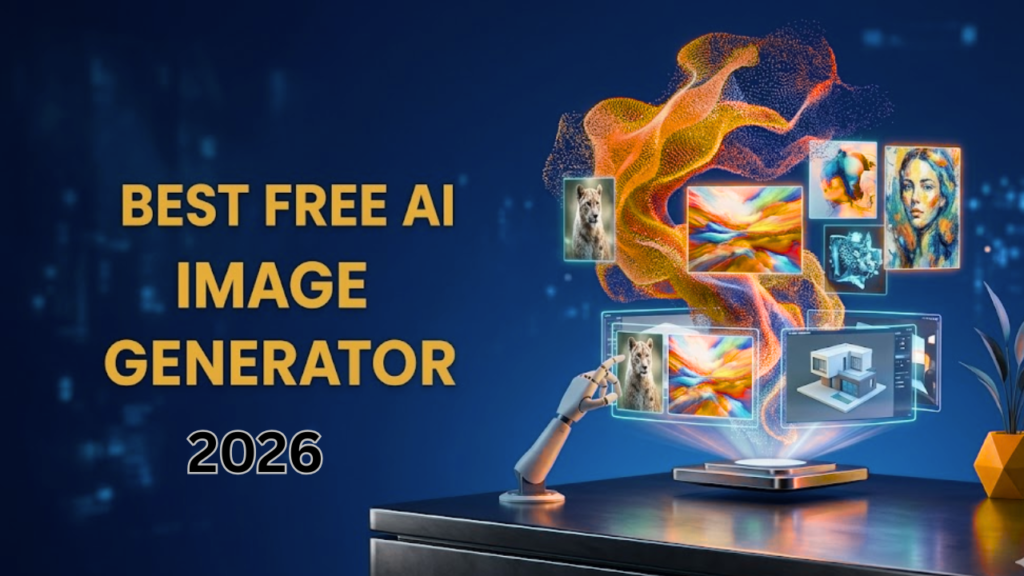
I remember this moment clearly with my own eyes when a dragon made by an AI appeared on my screen, so realistic that its scales looked completely real to me. At first, I was literally amazed, believe me, for a while I was just fascinated. At first, I thought that this was really great, then at the same time, I waited a bit and thought to myself, ” Isthis available for free?
As a content writer and content creator, I always prioritize quality and cost, which is why I have spent the last five months testing free AI image generators. I have used every tool, and of all these tools, I checked the limits first and also tried to understand which flower is only good to look at and which is actually more powerful.
Well, if we look at content creators, based on my experience and current situation, the scene is not the same as before. Before, many tools offered users as many features as possible for free, but in 2026, things have gradually changed. What is happening today is that it is a bit difficult to find a good free AI tool, and you also have to understand which one is really useful and which is free only in name, with hidden charges.
By the way, I have already tested all of this for you guys by creating thousands of images on every major platform.
Now, what I am going to share is not just a simple checklist but a practical guide that I have developed over the past few months, with which you too can get level results without spending money or working hard.
So let’s see which free AI image generators are really worth it in 2026, how people should make the most of them, and how I am doing everything so people can experience it.
What Is a Free AI Image Generator?
Image-generating AI tools are those that use machine learning to promote what you have written, so now those AI tools read your writing and give you a visual output image in the form of an image, as if you were describing what you want from it and what you want from it, you tell it in your own words in writing, what style, what subject, what light and model you want. When you tell them that AI, whatever it is, creates an image for you in a few seconds according to your writing.
What are the best and free tools that are now supported in 2026?
- They create an image from a text by reading detailed instructions.
- They edit the image itself to improve an existing visual.
- They have their own tools for creating images for social media graphics, posters, etc. Rendering text inside images
Most tools limit the number of generations per day and the output resolution or line speed. In simple words, if I tell you, some tools limit you to certain limits that you can only create so many images per day. If you use a free tool or want to write anything with it, then they also have some word limits, which state that you cannot write more than 1000 words in a day with this AI tool. If you want to write more than that, you will have to wait a day or buy a paid plan.
How I Tested These Tools in Depth
Well, let me tell you something personal: I have been using it myself, so the things I will tell you are important to understand before you rely on my suggestions, on how I achieved these things. I didn’t just create images from them for my content; I developed a rigorous testing process that pushed me to test each tool to its fullest.
Prompt Accuracy and Response Quality
I used a lot of multi-dimensional objects, which I think is a lot of stuff. I used multi-factored properties, which are AI-like, that require precise details, interactions between elements, and style specifications to be perfectly organized. And instead of just one dragon, consider a winged dragon with a knight riding it in all red armor.
Creative Scope Evaluation
I have spent the last few months examining different styles in all genres, from anime business graphics to what we call fantasy artwork, to determine the strengths and weaknesses of each generator.
Limit Testing
So first of all, I defined absolutely free on each platform, fully knowing how many pictures you actually get, which features require payment, and all the points where restrictions appear.
Output Quality Assessment
So now, in addition to making a complete judgment on whether the pictures I made looked pleasing, I also thoroughly examined the consistency and physical accuracy of the pictures, the full detail of the composition, and the completeness of this intangible expert.
Well, after much thought, I decided to take the test, not as a scholar, but as a creative thinker. Every insight comes from the situations that real designers, content creators, and marketers face, and when I saw the results, I was completely surprised. Some of the tools I had expected to perform brilliantly fell short, while the leading contenders delivered work of exceptional quality.
I saw that as AI continues to shape everything from design to content creation and everything in between, and even how AI actually performs in web application development.
As I have seen, as AI tools continue to shape everything from design to the creation of your content, and even as they are completely changing web application development, it has become even more important to understand which free AI image generators really perform well.
Detailed Reviews: Best Free AI Image Generators
Google Gemini
Google Gemini uses its three-dimensional model. By the way, if you look at it, I will tell you in detail how to use it. This tool is used to create your image on any topic. What you have to do is first use it with any of your Gmail accounts, and then you’ll get good results. By the way, it does not work at all without an account. And how do you do it now? You have to select the image section first, and when you enter any of your inputs and click Create, it uses Nano to generate the image. When you use it, it very quickly understands your topic and what you are actually trying to create, whereas other tools are quite far from this and, in my opinion, are lacking.
Jimini understands what you actually want, what you are trying to tell it, and wants to work with it. And the fun thing about it is that I also like it, but I see it every time that it works just like naturally and provides me with very good results, and what I see with my own eyes, when I create any image for my content, I don’t have to edit it much, and it is a perfect image.
Main strengths of Gemini
- You can use it with your Google account.
- In fact, it is giving you what you are looking for
- Jamni also integrates seamlessly with Google Workspace.
In my opinion
Photorealistic and full of detail in 2026. If you want to create with an AI tool and you are looking for this, then just do it. This tool is made for you, and it is the strongest option.
Ideogram
Why I Keep Coming Back to Ideogram for My Creative Work
Ideogram is absolutely the best option for making posters, photography, logo design, t-shirt designs, and marketing. In my opinion, Ideogram is the best option for all these tasks because I have been using it for quite a long time now, and believe me, whenever I need to make a poster, create something for marketing, or need logos and posters, but the thing I use it for the most and have experienced it to be the best is creating designs on t-shirts.
What Makes Ideogram Stand Out From the Rest
You can also connect it with Google and use it that way, which is really convenient. The interesting thing is that it lets you select the image size as well — you can set any custom size for your image based on your requirements. Another thing I really like about it is that it shows four images at once, so you can select the best one for your work.
For the free version, you only get 10 daily credits, meaning you can only give 10 prompts per day and use them that way.
Finally, it proves very beneficial for people who need posters made, logos created, and designs for t-shirts — it is amazing how it completes all this work instantly, within just a few seconds, with great results.
Leonardo AI
When the Free Tier Feels Like the Premium Experience
Leonardo AI generally offers many tools without the associated costs. It gives you a great level of control as an expert if you talk about its free plan, that is, free if you want to work with it. This tool is especially generous, allowing you to run about 150 generations per day.
I have used it a lot personally, so it has given me many benefits, and continues to do so. I have used this tool for about 40 days and still use it sometimes because it lets you create real-value models in PhotoAnime and more.
Training and Customization
Well, the most notable strength of this platform is its ability to customize AI models. I verified this by collecting five images of all the characters I have created and found that Leonardo created a model that was very capable of constantly creating new images.
By the way, the downside I have seen is that all the free-tier images are publicly accessible.
The Data Speaks Truth: Parallel Evaluations
I’ve gathered a small amount of solid data on the performance of each free generator in key aspects after weeks of experimentation.
| Generator | Free Limits | Best For |
| Leonardo AI | 150 daily generations | Artists, character designers |
| Canva AI | Hard cap on monthly images, but paid best | Content creators and marketers |
| Ideogram | 10 credits/week (≈40 images) | Logos, posters, thumbnails (best for text in images) |
| Google Gemini | 10–30 images/day (sometimes up to ~20 daily typical use) | General use, content creation, fast image generation |
After using these tools in practice, it became clear that additional observations emerged in exactly the same way as described, further proving their efficiency and accuracy.
Canva AI: The Smart Designer’s Powerhouse
First Impressions and Ease of Integration
I will admit that when I first started using Canva AI and experimenting with it, I didn’t enjoy it much. When I started creating images for my content or anything else, Canva didn’t respond so freely to me. So I left it because it had some limitations that I didn’t like. By the way, Canva AI recognizes that the majority of users need images for specific purposes, including creating social media content, block illustrations, slides, and other promotional assets.
Personally, I still use Canva Pro, and the most fun thing about it is that when you use Canva Pet, you get unlimited access to everything it offers, and that too with unlimited credits, like any AI tool, so you can stay within your limits. But here, if you use Canva AI for free, you can get unlimited benefits from it for a whole month. You can make anything with it. Images. Like when I create images for my elders, it helps me a lot.
There is also an AI version of it: you just give it a command like ‘I need this thing,’ and it creates an image for you naturally. That’s amazing, too, and you have to do a little editing with it. You can also do that with Canva AI.
If we talk about its paid version, I personally tell you that you don’t need a plan as big as the one I am using. I will tell Simple the same thing. What you have to do is go to social media platforms like Facebook or Instagram, and you will see many campaigns. Just search for “Canva Pro” on Facebook and say, “I want Canva Pro.” Now you get Canva for three to six months for two to three hundred rupees, which you can use as you wish, and there is no illegal work, no such tricks, no such illegal methods. Simple will get that Canva. And if you want to see their plans, visit the official Canva website.
I currently use the best AI image generator to create 80% of my images, so it’s the best choice for my business, brothers.
The Verdict: Where to Start Your Free AI Journey
- For Absolute Beginners: Canva AI
- For Hobbyist Artists: Leonardo AI
- For Experimenters: Ideogram
- For Advanced Technical Users: Google Gemini
The core point remains unchanged exactly as you wrote it.
Everything Creators Want to Know About Free AI Image Generators (But Were Afraid to Ask)
Are free AI image generators really free, or do they have hidden charges?
They are free but every single one has a limit — I discovered this mid-project when my generations suddenly stopped and I had no idea why. After five months of testing, I mapped out exactly where each tool cuts you off. Knowing this upfront saved me so much wasted time.
Which free AI image generator gives the most realistic results?
Gemini is my personal answer to this — the first dragon I generated on it had scales so realistic I literally stopped and stared at my screen. I ran the same prompt on every other tool and nothing came close. I still use it today for any realistic image I need.
Can I use AI-generated images commercially on my blog or social media?
I made this mistake myself — I assumed all free images were mine to use however I wanted. Leonardo AI actually makes free-tier images public, so they are not exclusively yours, which I only found out after publishing. Now I only use Gemini and Canva AI for my blog and client content.
Which tool is best for thumbnails, posters, and logo designs?
Ideogram is my go-to and I found it by accident while searching for something to help with t-shirt designs. Every other free tool I tested completely ruined text inside images, but Ideogram got it right every time. It is now the first tab I open whenever I need a thumbnail or poster done fast.
How many images can I actually generate for free every single day?
Leonardo AI genuinely shocked me — 150 free generations per day, and I used it every single day for 40 days straight without paying a rupee. Ideogram gives 10 credits but each one produces four variations so it stretches further than it sounds. Gemini sits somewhere between 10 and 30 daily but the quality always makes up for the lower number.
Do I need any design or technical skills to get started?
I had zero design background when I started and was making solid images within my first few minutes on Gemini. Over thousands of images across five months I learned one thing — a detailed prompt always wins over a vague one. That skill comes naturally after just a few days of using any of these tools.

Hi, I’m Anees Ghaffar Web Developer & digital strategist helping you build faster, smarter websites. I write about WordPress, web hosting, AI tools, and automation — all from real experience.