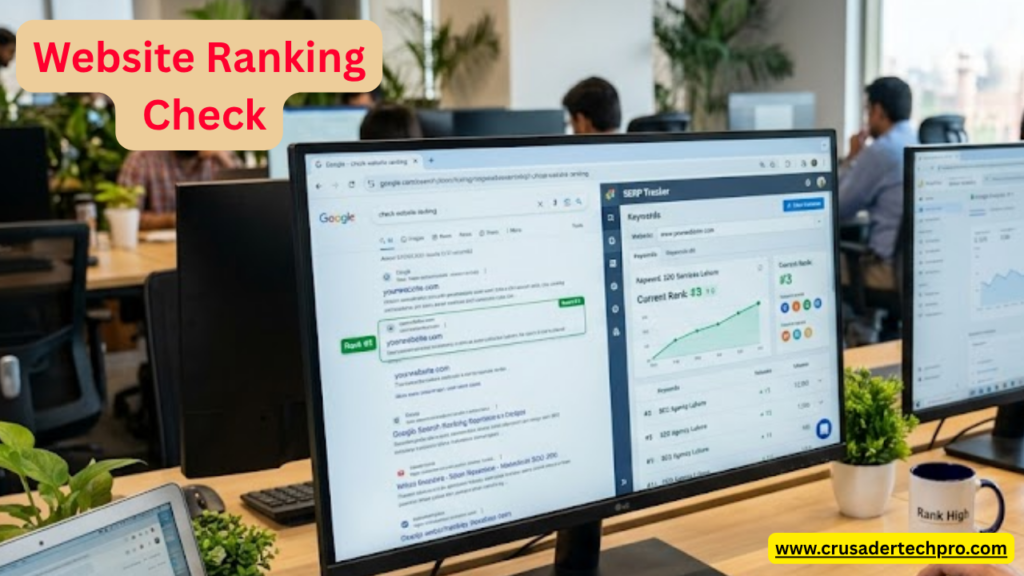
If you can’t measure it, you can’t improve it.” — This was the first SEO lesson I learned the hard way when I started my first niche website targeting UK job seekers.
When I first started building micro niche websites, I made the same mistake that most beginners make — I published articles and just waited, hoping Google would rank them. Days passed. Weeks passed. I had no idea where my content was ranking. Was it on page 1? Page 10? Not indexed at all?
That is when I realized: tracking your Google rankings is not optional — it is the foundation of any SEO strategy. Without knowing where you stand, you are essentially driving blindfolded.
In this guide, I am going to share 8 real, practical methods I personally use to check website rankings on Google — from completely free tools to paid ones, and from manual checks to automated tracking systems.
Why Checking Rankings Matters — and Why Google Lies to You
Before jumping into the tools, let me tell you something important that took me a long time to understand: Google’s normal search results are personalized. This means when you type your target keyword and see your website in position 3, that result might only be showing to you because:
- You have visited your own site before (Google tracks this)
- Your location is factored in (UK results differ from USA results)
- You are logged into Google, so it personalizes results for you.
- Your search history influences what you see.
This is why you should never check rankings by simply Googling your keyword while logged into your Google account. You will get false, inflated data.
My Personal Experience: When I launched my first niche job content site targeting UK readers, I checked my rankings from my own laptop and thought I was ranking on page 1 for three keywords. I was excited. But when I checked in Google Search Console and in an incognito window, I was actually on page 4. My own browsing history had completely fooled me. That mistake cost me two weeks of miscalculated decisions based on wrong data.
Method 1 — Google Search Console: The Most Accurate Free Tool
Type: Free · Official Google Data
Google Search Console (GSC) is, hands down, the most accurate and free tool for checking your rankings. It is provided directly by Google, so the data is real, not estimated. This is the first tool I check every single morning for my niche websites.
How to check rankings in GSC:
- Go to search.google.com/search-console and sign in.
- Select your website property from the left sidebar.
- Click on “Performance” in the left menu.
- You will see your Total Clicks, Impressions, Average CTR, and Average Position.
- Click on the “Queries” tab to see which keywords you are ranking for and their average position.
- Use the date filter to compare this week vs last week to track improvements.
Pro Tip: In GSC, click any keyword, then click the “Pages” tab to see which URL on your site is ranking for that keyword. This is extremely useful for a niche jobs website where multiple pages target similar keywords.
My Personal Experience: What I love most about GSC is that it shows you keywords you did not even know you were ranking for. I often discovered that articles I wrote targeting one keyword were actually getting impressions for 10 to 15 related keywords. This is incredibly useful for understanding the full reach of your content and for finding new opportunities to optimize.
Limitation: GSC only shows data for your own website. You cannot check competitor rankings here.
Method 2 — Manual Incognito Search with VPN
Type: Free · Manual Method
This is the quickest way to do a spot check without any tools. Open a Chrome Incognito window or a Firefox Private window, and search for your target keyword. Since you are not logged in and browsing history is cleared, the results are more neutral and unaffected by your personal search history.
However, there is still one important problem: Google continues to use your IP address to determine your location. If you are based outside the UK or USA but targeting readers in those countries, the results you see will reflect your local region—not your target market.
Solution: Use a free VPN such as ProtonVPN or Windscribe, set the location to the United Kingdom or the United States, then open Incognito and search. This gives you a much more realistic view of what your actual UK or US audience sees when they search your target keyword.
My Personal Experience: I discovered this trick after spending weeks wondering why my traffic numbers did not match my perceived rankings. Once I started checking with a UK VPN, I realized some of my articles that looked like page 1 results from my location were actually on page 3 for UK users. It completely changed how I prioritized my content improvements.
Important Note: This method is suitable only for quick spot checks. Do not rely on it for tracking 20 or more keywords daily — that would be far too time-consuming. Use it to verify specific important pages or to manually check competitor positions.
Method 3 — Ubersuggest: Best Free Option for Beginners
Type: Freemium · By Neil Patel
Ubersuggest by Neil Patel is one of the most beginner-friendly SEO tools available today. The free version gives you limited but genuinely useful ranking data. For a new niche website owner who is not yet ready to invest in Ahrefs or Semrush, Ubersuggest is an excellent starting point that requires no upfront payment.
How to check rankings in Ubersuggest:
- Go to app.neilpatel.com/en/ubersuggest
- Enter your domain name and select your target country (UK or USA)
- Click on “Organic Keywords” from the left menu.
- You will see a list of keywords your site is currently ranking for, along with their positions and estimated traffic.
My Personal Experience: When I was just starting out, I used Ubersuggest daily. I noticed that it sometimes shows slightly different data than Google Search Console — usually by a position or two. This is completely normal because third-party tools estimate rankings by periodically crawling Google, while GSC shows exact average positions directly from Google’s data. I always use both tools together to get a more complete and reliable picture.
Method 4 — Ahrefs or Semrush: For Serious Rank Tracking
Type: Paid · Most Comprehensive
If you are serious about growing your niche website and generating consistent AdSense income, you will eventually need to invest in either Ahrefs or Semrush. Both are industry-leading SEO platforms that offer extremely accurate rank tracking, competitor analysis, backlink data, and keyword research all in one place.
Ahrefs Rank Tracker lets you add your target keywords, select your target country (the UK and the USA separately), and track their daily positions. You receive email alerts when rankings change significantly, so you don’t have to log in every day.
Semrush Position Tracking works similarly but also offers a detailed competitor comparison feature — you can see exactly where your competitors rank for the same keywords, side by side with your own rankings. This is particularly powerful when you are trying to overtake established job content websites in your niche.
- Ahrefs: Best for backlink analysis and rank tracking — starts from $99 per month
- Semrush: Best for competitor analysis and content gap research — starts from $119 per month
- Mangools: Best affordable alternative — starts from $29 per month
My Personal Experience: I resisted paying for Ahrefs for a long time because the price felt high when I was just starting. But the moment I subscribed, I immediately found keyword opportunities I had been missing for months. The return on investment was visible within the first 30 days. If your niche website is generating any AdSense income at all, reinvesting some of it into Ahrefs is one of the smartest moves you can make.
Budget Tip: If Ahrefs feels too expensive right now, start with Mangools SERPWatcher. It offers similar rank tracking at a fraction of the price and is what I personally used before upgrading to Ahrefs.
Method 5 — SERPWatcher by Mangools: Best Affordable Paid Option
Type: Paid · Budget-Friendly · From $29/month
SERPWatcher is the rank-tracking tool from Mangools, and in my honest opinion, it is the best value-for-money option for niche website builders on a tight budget. For around $29 per month, you get daily rank tracking for multiple websites, a “Dominance Index” score that shows your overall ranking performance at a glance, and mobile versus desktop rank comparison.
What I particularly appreciate about SERPWatcher is its clean, easy-to-understand interface and the ability to track rankings for specific countries separately. I set up separate tracking projects for the UK and the USA for the same niche website, which gives me a clear picture of how my content is performing in each target market.
Key features of SERPWatcher:
- Daily ranking updates for all tracked keywords
- Country-specific tracking (track the UK and the USA separately)
- Mobile vs desktop position comparison
- Ranking change notifications via email
- Historical data to see your progress over time
- Dominance Index — an overall score showing your site’s ranking health
My Personal Experience: I used Mangools for about six months before switching to Ahrefs. The rank tracking in SERPWatcher is genuinely accurate — consistently within one or two positions of what Google Search Console shows. For a new niche website with a limited budget, I still recommend Mangools as the first paid tool to invest in. Their free trial is also generous enough to properly evaluate whether it fits your workflow before committing.
Method 6 — Google Analytics and Search Console Combined
Type: Free · Advanced Strategy
Most people use Google Analytics and Google Search Console separately. But when you connect them together, you unlock a much more powerful way to understand not just where you rank, but how that ranking is actually translating into real traffic and user behavior on your site.
How to link them:
In Google Analytics 4, go to Admin, then Property Settings, then Product Links, then Search Console Links. Once connected, a new Search Console section appears under your Reports that shows queries with clicks, impressions, and average positions alongside the bounce rate, session duration, and page engagement data from Analytics.
My Personal Experience: This combined view gave me one of the most valuable insights I have had in my niche website journey. I discovered that some keywords where I ranked at positions 5 to 8 were generating much better quality traffic — lower bounce rate, more pages viewed per session — than keywords where I ranked at positions 1 to 2. It turned out those position 1 keywords were attracting visitors who quickly realized my content was not exactly what they needed. This discovery completely changed how I measured ranking success and which keywords I prioritized for improvement.
Method 7 — Small SEO Tools Rank Checker
Type: Free · No Account Required
For completely free rank checking without any account creation or signup, SmallSEOTools.com offers a straightforward rank checker tool. You simply enter your domain name, your target keyword, and your target country, and it shows you where your website ranks on Google for that keyword in that country.
It is not the most accurate tool available, and it checks one keyword at a time, which makes bulk checking quite tedious. But for a quick verification of a single important keyword — especially when you want to check something fast without logging into any platform — it works perfectly and costs nothing.
Other similar free tools worth knowing about include SEOReviewTools Rank Checker, Seobility’s free rank checker, and AccuRanker’s free trial. All of them work in a similar way — you enter your domain, keyword, and country, and you get an approximate ranking position in return.
When to use this method: Use it for occasional one-off checks on specific keywords, not as your primary tracking method. For consistent tracking across multiple keywords, always use Google Search Console or a dedicated rank tracker.
Method 8 — Rank Math SEO Plugin for WordPress
Type: Free + Pro · WordPress Only
If your niche website is built on WordPress — which I strongly recommend for AdSense-focused content sites — then the Rank Math SEO plugin is something you should install from day one. It connects directly to Google Search Console and displays your ranking data right inside your WordPress dashboard, eliminating the need to switch between multiple platforms.
With Rank Math Pro, you also get a dedicated Rank Tracker module that tracks keyword positions over time, shows which posts are gaining or losing rankings, and sends you weekly ranking reports directly to your email inbox.
What makes Rank Math especially useful for niche content websites:
- It shows ranking data per individual post, so you can see at a glance which articles are performing well and which need attention.
- The SEO score for each article is displayed right in the post editor, helping you optimize content before and after publishing.
- You can see impressions, clicks, and average position for each article without leaving WordPress.
- The weekly email report gives you a regular snapshot of your site’s ranking health.
My Personal Experience: Rank Math Pro is part of my standard setup on every niche website I build. The combination of on-page SEO recommendations and built-in rank tracking saves me a great deal of time. Instead of switching between my WordPress dashboard and multiple external tools, I can see an article’s SEO optimization score and its current ranking position on the same screen while I am editing the post. For a content-heavy niche site targeting job seekers, this efficiency matters a lot when you are publishing multiple articles per week.
Which Method Should You Use? A Practical Recommendation
Here is my honest recommendation based on where you are in your niche website journey:
Just Starting Out — Zero Budget: Use Google Search Console combined with occasional manual incognito checks using a VPN. This combination is free and provides enough accurate data to make good decisions in the early stages.
Growing — Minimal Budget: Add the free versions of Ubersuggest and Rank Math to your toolkit. You now have keyword research, on-page optimization guidance, and ranking data, all for free.
Scaling — Small Investment: Subscribe to Mangools SERPWatcher at around $29 per month. You get proper daily rank tracking with country-specific data, which is essential when targeting both the UK and the USA audiences separately.
Serious SEO — Committed Investment: Upgrade to Ahrefs or Semrush. The depth of data, competitor insights, and backlink analysis available in these tools makes them worth every penny once your site is generating consistent traffic and AdSense income.
No matter which stage you are at, Google Search Console is always non-negotiable. It is free, accurate, and provides data that no third-party tool can fully replicate because it comes directly from Google.
Common Mistakes to Avoid When Checking Rankings
Mistake 1 — Checking rankings while logged into Google. Always use incognito mode or a dedicated SEO tool. Logged-in searches are personalized and will show you inflated rankings that do not reflect reality for your actual audience.
Mistake 2 — Checking from the wrong location. If you are targeting UK readers but checking from a different country, you will see completely different results. Always use a VPN set to your target country for manual checks, or use tools that allow you to set a specific target country.
Mistake 3 — Obsessing over daily fluctuations. Google rankings fluctuate daily, sometimes by several positions. A drop from position 4 to position 7 on a single day is meaningless. Always look at weekly or monthly trends, not daily snapshots. I check my rankings daily but only act on changes that persist for a week or more.
Mistake 4 — Tracking too many keywords. When I started, I tried to track over 200 keywords across my niche sites. It was overwhelming and produced no actionable insights. Focus on 10-20 high-priority keywords per niche website. Track those consistently and improve them systematically before expanding your keyword list.
Mistake 5 — Ignoring impressions data. In Google Search Console, a keyword might show zero clicks but 500 impressions at position 18. That is not a failure — that is an opportunity. With better content optimization or a few quality backlinks, you can move it to page 1 and start generating real clicks. Impressions data is among the most valuable information GSC provides, yet most beginners completely ignore it.
Frequently Asked Questions
How long does it take to rank on Google after publishing an article?
For a new niche website, it typically takes 3 to 6 months to see significant rankings for competitive keywords. Brand-new websites go through a trust-building period during which Google is still evaluating the quality and consistency of your content. Older, established domains with good authority can rank within days or weeks for low-competition keywords. Patience and consistency are essential in the early months.
Why does my ranking differ on mobile versus desktop?
Google uses mobile-first indexing, meaning it primarily uses the mobile version of your website for ranking decisions. Your mobile and desktop rankings can differ by several positions, depending on how well your site is optimized for mobile devices. Always check your website’s mobile performance in Google Search Console under the Search Type filter, and make sure your WordPress theme is fully responsive.
Can I rank in both the UK and the USA Google for the same article?
Yes, but rankings will often differ between countries. An article targeting job-related keywords will naturally perform differently on Google.co.uk versus Google.com, depending on how localized the keyword intent is. For content that can serve both markets — such as general career advice or CV writing tips — you can rank well in both with a single well-optimized article. For highly location-specific content, consider creating separate articles tailored to each market.
Do rankings affect AdSense approval?
Rankings do not directly affect AdSense approval. Google’s AdSense team primarily evaluates content quality, the quantity of content on your site (typically at least 20 to 30 well-written articles), website design and navigation, the presence of a privacy policy and about page, and whether your content is original and provides genuine value. However, ranking well attracts organic traffic, which strengthens your application by demonstrating that your site has a real, engaged audience.
What is a good average position in Google Search Console?
Positions 1 to 10 mean your content appears on the first page of Google — this is always the goal. Positions 11 to 20 mean page 2, where very little organic traffic reaches. Statistically, position 1 receives around 30 percent or more of all clicks for a given keyword, while position 10 receives less than 3 percent. An average position below 10 for your priority keywords is a genuinely positive sign that your SEO strategy is working.
Final Thoughts — Start Tracking, Start Growing
Checking your Google rankings is not a one-time task — it is an ongoing habit that separates successful niche website builders from those who give up too early without understanding why their traffic is not growing.
When you know your rankings, you can identify which content needs improvement, which topics represent your next best opportunity, and which keywords are quietly gaining momentum and deserve more attention. Without this data, you are making decisions based on guesswork.
My personal daily workflow is simple: I check Google Search Console every morning, which takes about five minutes. I review any significant changes weekly using Ahrefs. And I manually run an incognito check with a VPN for two or three important keywords once per week. That combination keeps me fully informed without becoming obsessive about rankings.
Start with Google Search Console today. It is free, it is accurate, and everything else in your SEO journey — your content strategy, your optimization decisions, your monetization planning — flows from the data it provides. Once you are consistently using GSC, layer in the additional tools as your site grows and your budget allows.
Rankings are not the final destination — they are the road that leads to traffic, traffic leads to AdSense revenue, and AdSense revenue gives you the freedom to keep building. Stay consistent, track your progress, and the results will come.

Hi, I’m Anees Ghaffar Web Developer & digital strategist helping you build faster, smarter websites. I write about WordPress, web hosting, AI tools, and automation — all from real experience.